
set times
A record of your live music history
Track every concert, DJ set, and festival you go to.


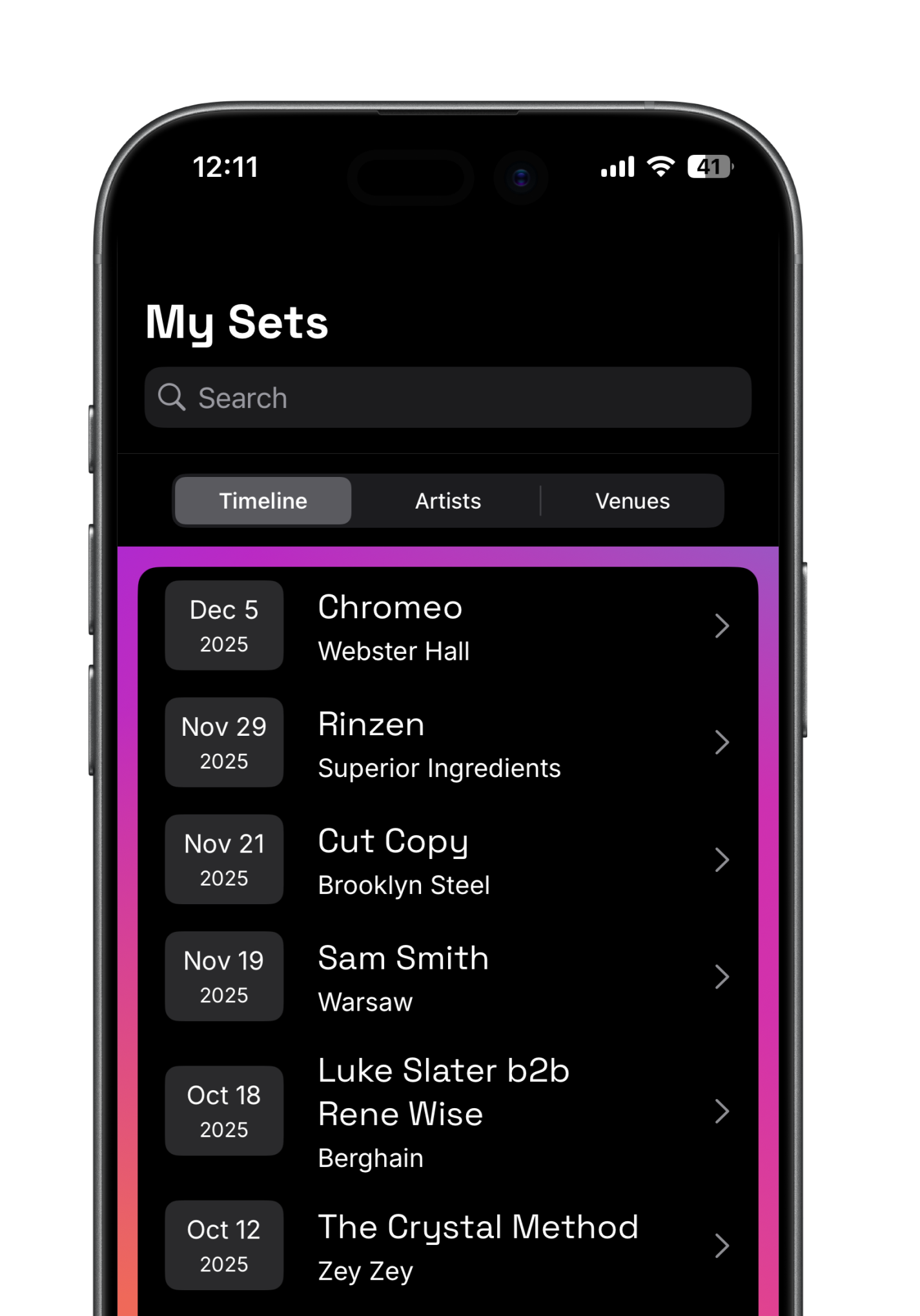
So, you go to a lot of shows?
Us too. Set Times helps you remember them all. Who you saw, where, when, and more.
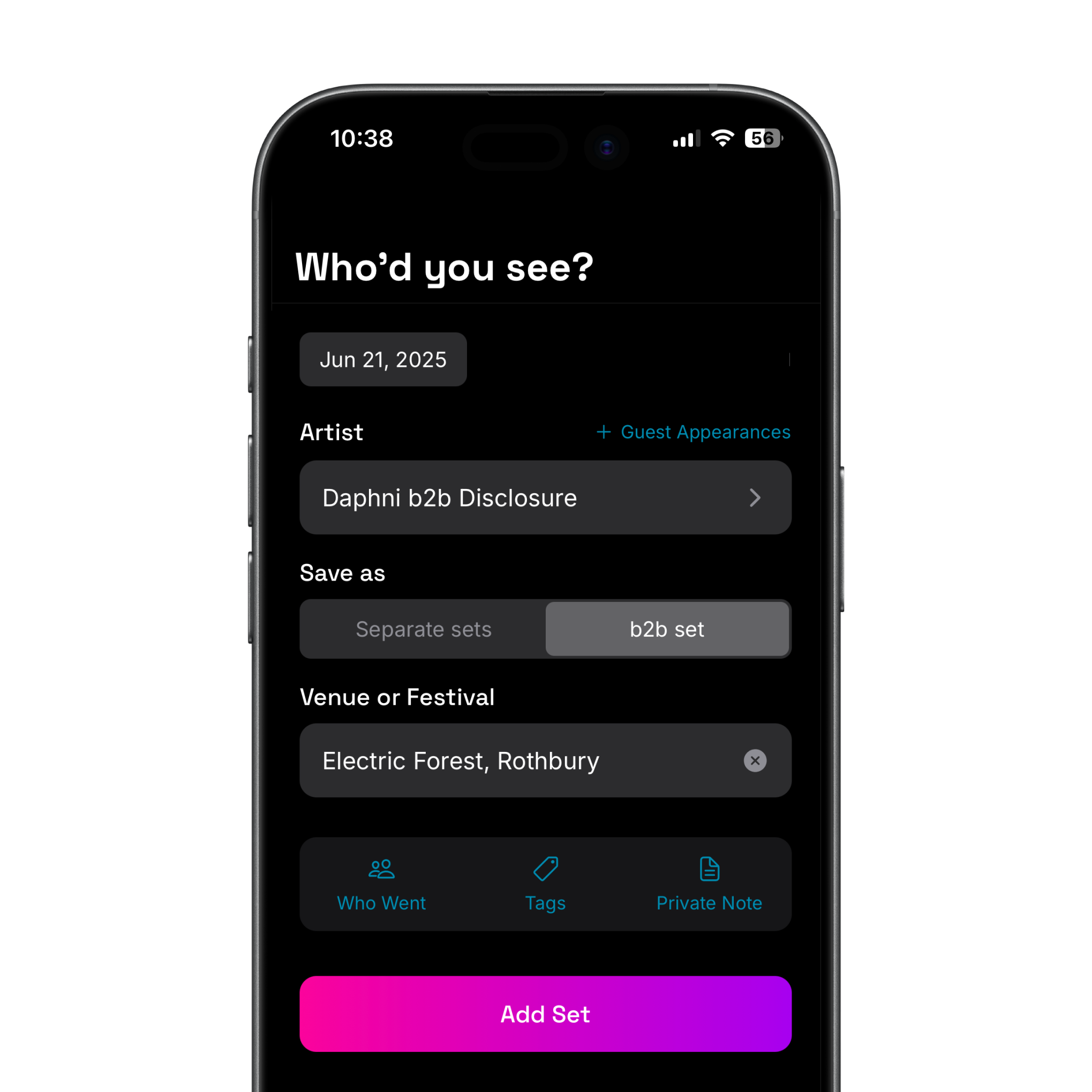
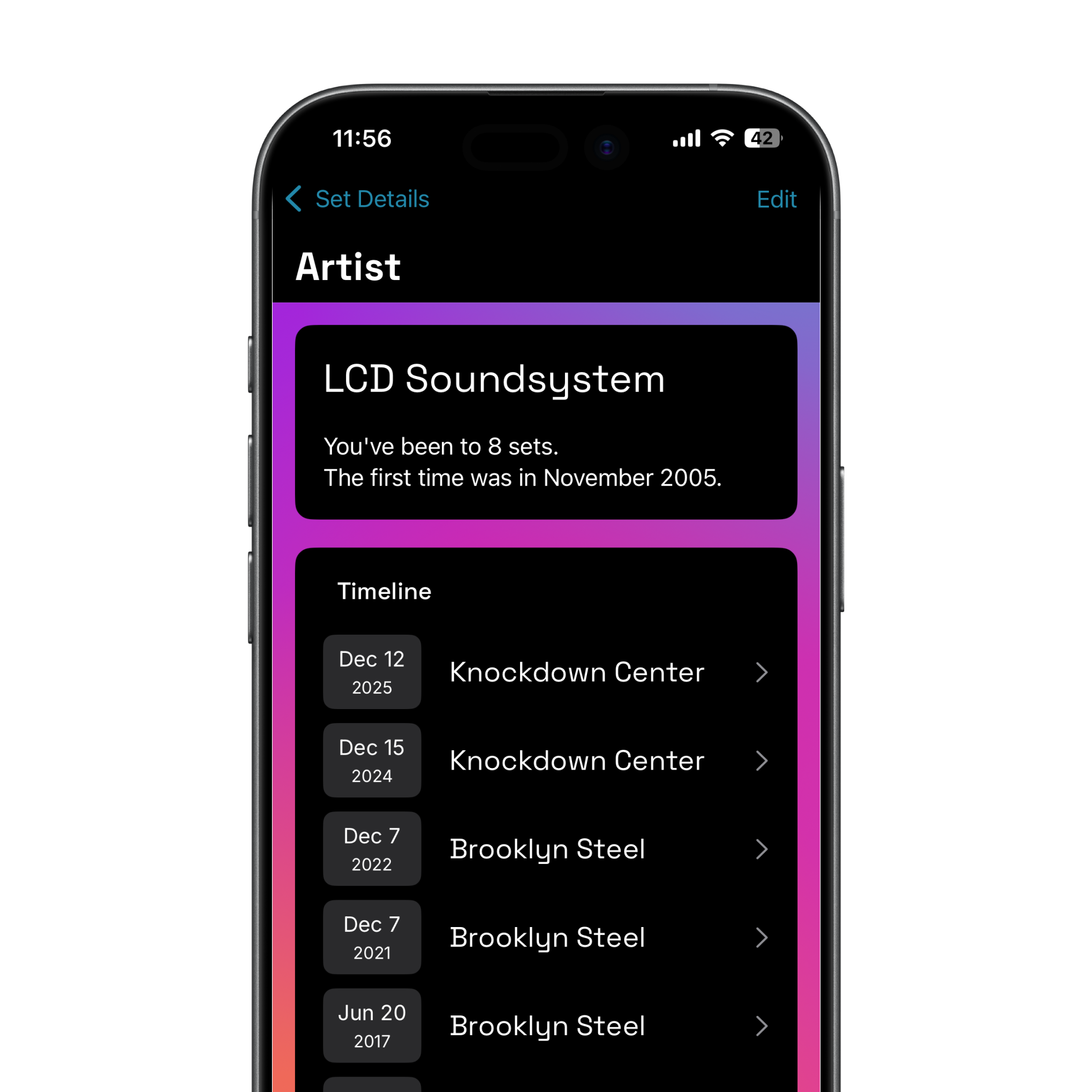
No more losing count
Your full timeline with any artist, from the latest to the very beginning.
See how you showed up
Nothing shows more support than showing up to a gig. See how you supported your favorite artists by going to see them.
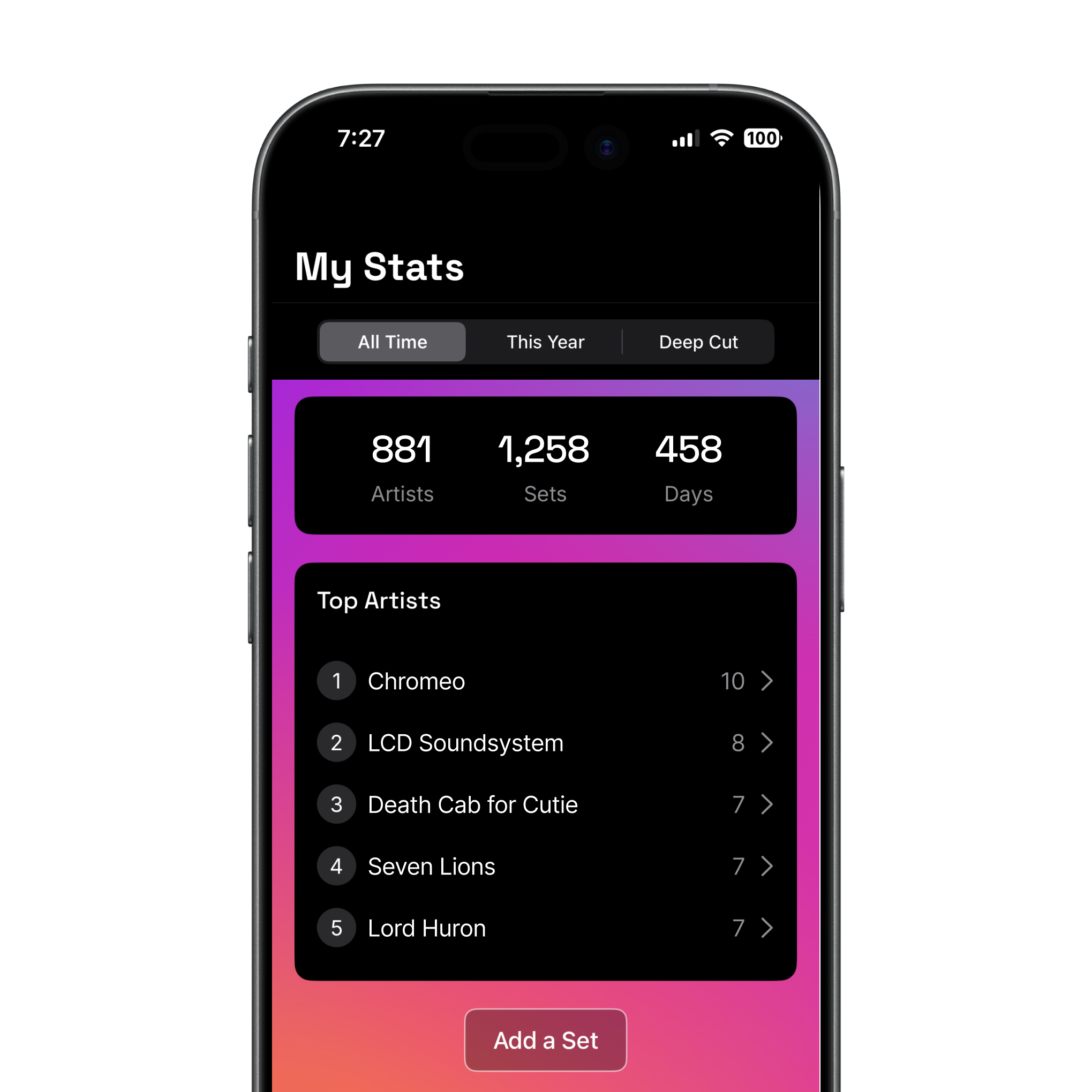
Support
Have a question or feedback? Email us at [email protected].
The Story
Hi! I'm Erica Ehrlich, a product and design leader by day and concert fiend by night. And nerd alert: I've spent years keeping a spreadsheet of every artist I've seen live.It started when I opened a box of old ticket stubs and noticed the ink was fading. I had a brief existential crisis, truly. Were all these nights just going to disappear?So I did the only reasonable thing and started writing them all down. I dug through my calendar, old emails, photos, and half-remembered nights to rebuild my concert history. What began as a simple list turned into a mildly concerning amount of concert data.Every friend who saw it said the same thing: "I wish I'd done that." So I built a way to track shows that's actually fun, for me and my friends (and you too). It's one of my favorite things I've ever made. I hope you enjoy it.See you on the dance floor!

Delete your data
To delete your account and all data:
1. Open Set Times
2. Go to the Account tab
3. Tap Settings
4. Tap Delete Account
5. Follow steps to confirm deletionThis permanently deletes your account, all logged sets, tags, and notes. This action cannot be undone.
To delete individual sets:
1. Go to the My Sets tab
2. Tap on the set you want to delete
3. Tap Edit
4. Tap the 3-dot icon
5. Tap Delete Set
6. Confirm by tapping Delete
If you no longer have the app installed and need your account deleted, contact us at [email protected].
Privacy Policy
Effective Date: June 8, 20261. Introduction
This Privacy Policy describes how SetTimes Labs LLC, the owner of the Set Times app (“we,” “our,” or “Set Times”), collects, uses, and protects your information. We respect your privacy and are committed to handling your personal data responsibly.2. Information We Collect
When you use Set Times, we collect the following types of information:
Contact Information: such as your name and email address.
Account Information: such as the sign-in provider (e.g., Apple or Google) used to create your Set Times account.
Profile Information: including the artists you've tracked, venues you've marked as attended, and the dates of concerts or shows you've logged.
Derived Information: such as summaries, usage statistics, and personalized insights generated from your activity within the app. This data is based solely on your own usage and is not shared with third parties.
Usage Analytics: Pseudonymous usage events (such as screens viewed and actions taken) are used to improve app performance and the user experience.
Diagnostic Data: Pseudonymous error events when the app encounters an unexpected problem (such as error messages, app version, and device model) to help us identify and fix bugs.
Third-Party Contact Information: If you tag a friend in a show, we store the name and email address you provide for that person. This allows you to re-tag them in future shows and, if they aren't already a Set Times user, to send them an invitation on your behalf. This information is retained until you remove the tag or delete your account. If you are someone who has been tagged and would like your information removed, you can request deletion by contacting us at the address in Section 7.
We do not collect sensitive personal information such as location data, contacts, or payment information. We do not access your device's contacts. If you tag a friend manually, we store only the name and email you provide for that purpose.3. How We Use Your Information
We use your information to:
Provide personalized access to your concert history
Sync your data across devices using cloud storage (Firebase Firestore)
Maintain core functionality and prevent data loss
Send notifications to friends you tag in a show, letting them know you tagged them and inviting them to log the show too.
4. Data Sharing
Your data is securely stored using Firebase (Google) for authentication and data storage. We also use third-party services for usage analytics, diagnostics analytics, and search functionality. We do not sell your personal information.Your email address may be used to match your account with friends on the platform, but is not displayed directly to other users. When you tag a friend in a show, your profile name is visible to them as the tagger.5. Push Notifications
Set Times may send you push notifications triggered by other users' actions — for example, when someone tags you in a show. You can disable push notifications at any time in the app's account settings or your device's system settings.6. Blocking
Blocking a user hides any tags or notifications from them. The blocked user is not notified that they've been blocked.7. Data Security
Your information is stored via Firebase Authentication and Firestore, which use industry-standard encryption and security practices. We do not store your passwords or third-party credentials.8. Your Choices
You may sign out or delete the app at any time to stop using the service. You can delete your data and account at any time in the Account Settings area of the app.9. Contact
If you have any questions about this policy or how your data is handled, please contact: [email protected].